

Packaging design becomes easier to produce when the physical format, approved content and printer requirements are clear from the start. A polished mockup is a presentation tool; production artwork still needs to be checked at actual size and against the final dieline.
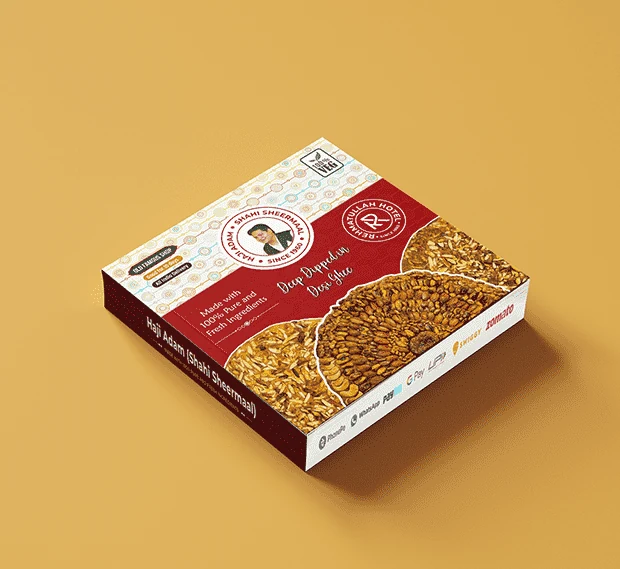
Start with the physical format
Provide the final container, label area or printer-approved dieline. Include dimensions and clarify which panels are visible when the product is displayed. A design built around a provisional size may need substantial changes later. Ask the printer about tolerances, folds and finishing constraints before concepts are approved.
Supply one approved content document
Collect product names, variants, descriptions and required declarations in a single controlled document. Identify who approves the wording. Designers can organise information, but the business remains responsible for supplying accurate product claims and obtaining appropriate specialist review.
Create a hierarchy that survives small sizes
Decide what customers should notice first, second and third. Test the product name and variant at the actual printed size. A label that looks clear on a large monitor may become crowded on a small bottle. Compare the front panel both at shelf distance and as a small online product image.
Plan the whole range
A shared layout can make variants feel connected, while colour, naming or imagery helps people distinguish them. Do not rely on colour alone where text can provide clarity. Review the range together so a new flavour or size does not require an entirely unrelated design.
Separate mockup approval from artwork approval
A mockup helps assess overall appearance, but it cannot establish how a finish, substrate or print process will reproduce. Ask the printer to check the technical artwork. Confirm bleed, colour setup, image resolution and finishing layers using the specifications of the actual production process.
Proof before committing to production
Check spelling, product variants, dimensions and all supplied identifiers on the final proof. Keep a record of the approved version and remove outdated artwork from the production folder. The final approval should come from the people responsible for content and print quality, not from an assumption that the mockup was already signed off.
Your project checklist
- Final dimensions and dieline
- Approved product copy
- Clear product and variant hierarchy
- Printer specifications and finishing requirements
- Documented proof and production approval
A common question
Can a mockup be sent directly to the printer?
A mockup is usually a visual presentation. The printer needs the agreed production artwork and specifications, followed by proofing and approval.
Put the guide into practice
Explore our packaging and label design services for the process, possible deliverables and enquiry options. Share your context so the proposal reflects your business.